Build a Website
Open the detail page and start from this template on the homepage.
Orbit is a one-page product landing page for a concept workspace for product teams. Built with plain HTML, CSS, and JavaScript, it includes an interactive product preview, a three-step guided tour, and workspace personalization, with no runtime packages or build step. This is a frontend demonstration.
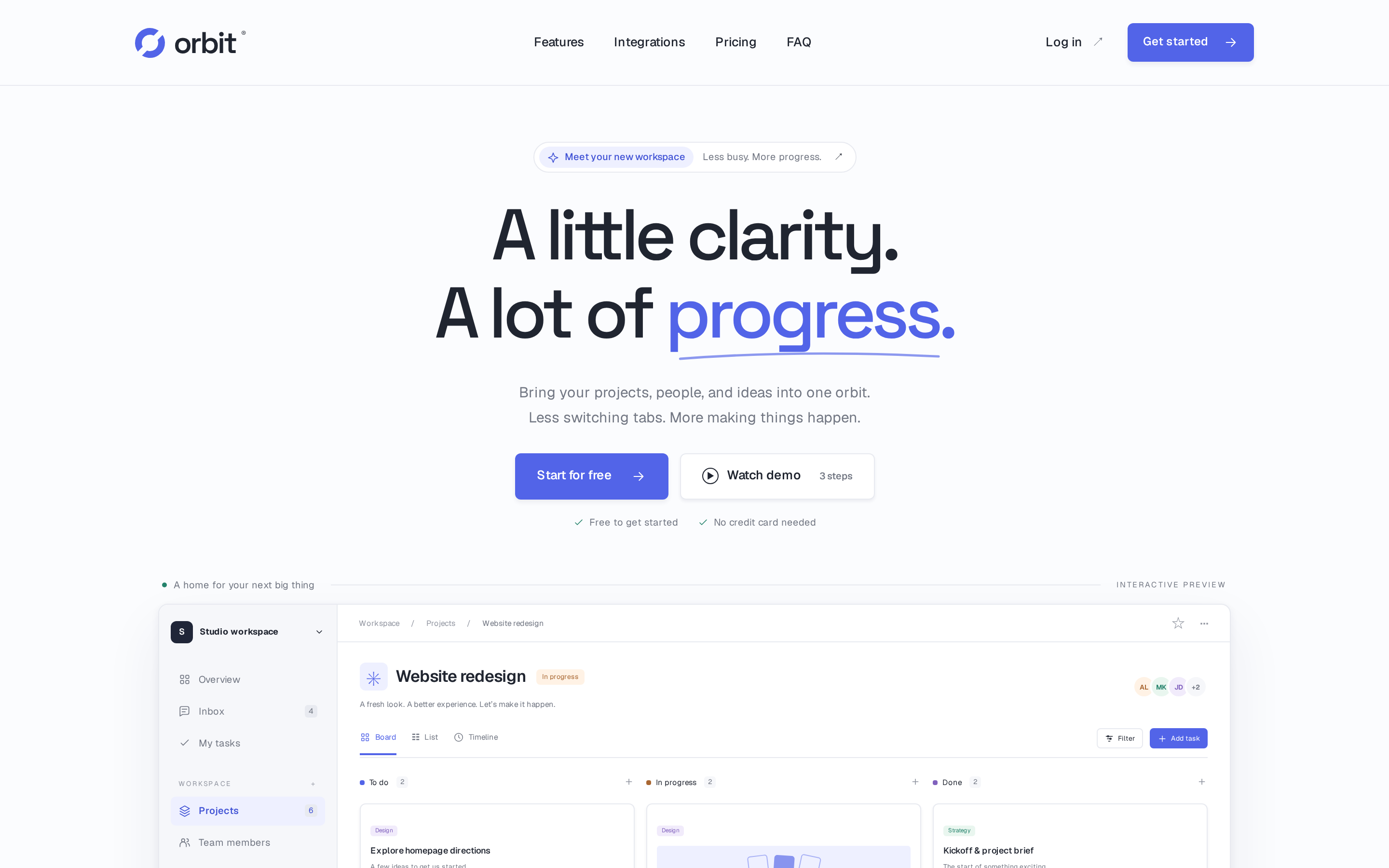
The hero includes workspace personalization and a three-step guided product tour. “Watch demo” opens the guided tour. The project preview is rendered directly in HTML and JavaScript, with Board, List, and Timeline layouts, a filter for Jamie’s tasks, and a form for adding tasks to any status column.
Feature sections cover planning, collaboration, automations, views, and focus. An integration map and catalog describe proposed Slack, Notion, Figma, GitHub, Google Drive, and Linear workflows. Integration entries do not connect external accounts. Feature illustrations do not implement messaging, notifications, or automation services.
Free, Pro, and Business pricing cards include a monthly/yearly toggle. Pro is $12 per member/month with monthly billing or $9.60 per member/month with annual billing; Business is $24 or $19.20 respectively. All prices are illustrative. An expandable FAQ, closing call to action, and mobile navigation menu complete the page.
Signup, login, and plan buttons open the same workspace-personalization dialog. They do not authenticate users, create online accounts, or process payments. No application form data is submitted to a backend.
Only the workspace name persists, using the orbit-workspace key in this origin’s browser localStorage. Storage failures are tolerated. Newly added tasks, selected views, filters, and billing selections live in memory and reset on reload. To reset the workspace name, remove the orbit-workspace key using browser developer tools.
Google Fonts supplies Space Grotesk and Geist through external stylesheet and font requests. Local sans-serif fallbacks apply when those requests are unavailable.
Open it in the editor, describe your changes in plain English, and publish when it looks right.