Website0 remixes

Student Portfolio & Résumé

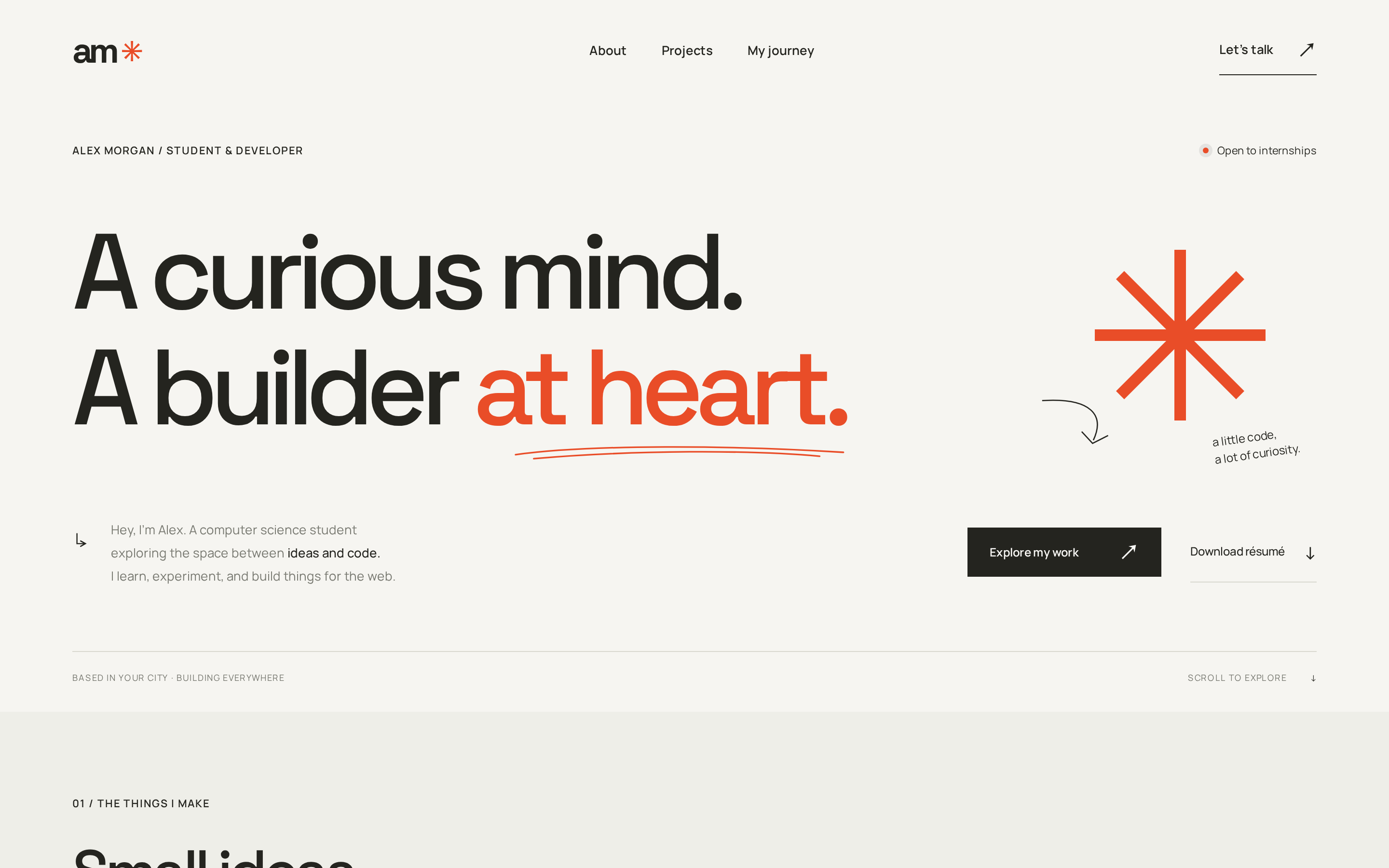
Present your background, projects, and résumé with a responsive, single-page student developer portfolio. Built with HTML, CSS, and JavaScript, this template requires no build step or dependencies and includes project filters, keyboard-accessible project dialogs, and mobile navigation.
Student Portfolio & Résumé
At a glance
Type
Website
Remixes
0
Database
Included
Hosting
Included
Key highlights
  • Responsive, single-page student developer portfolio
  • HTML, CSS, and JavaScript with no build step or dependencies
  • Filterable projects with keyboard-accessible dialogs
  • Résumé download links
  • Mobile navigation and reduced-motion support
Features and capabilities
  • Editable name, biography, university, email, and social profile URLs in index.html
  • Project details in app.js and project artwork in index.html
  • Project filters and keyboard-accessible project dialogs
  • Download links for your replacement résumé
  • Color and font customization in tokens.css
  • Layout and responsive styling in styles.css
  • Mobile navigation, scroll reveals, and reduced-motion support
  • Recommendation placeholder awaiting permission to use a real reference

A portfolio for student developers

Customize the sample name, biography, university, email, and social profile URLs in index.html. Update project details in app.js and project artwork in index.html to showcase your own work.

Projects and accessible interactions

Project filters and keyboard-accessible project dialogs help visitors explore your work. Mobile navigation, scroll reveals, and reduced-motion support are included.

Résumé and recommendations

Replace assets/alex-morgan-resume.txt with your résumé and update the download links. The recommendation section intentionally uses a placeholder until you have permission to add a real reference.

Customize the design

Adjust colors and fonts in tokens.css. Layout and responsive styling live in styles.css. The template is built with HTML, CSS, and JavaScript, with no build step or dependencies required.

Internet-dependent resources

Google Fonts and the workspace photograph require an internet connection.

Getting started

  1. Step 01Open the template in RiverX and replace the sample name, biography, university, email, and social profile URLs in index.html.
  2. Step 02Update project details in app.js and project artwork in index.html.
  3. Step 03Replace assets/alex-morgan-resume.txt with your résumé and update the download links.
  4. Step 04Adjust colors and fonts in tokens.css, and layout and responsive styling in styles.css.
  5. Step 05Keep the recommendation placeholder until you have permission to add a real reference.
  6. Step 06Review project filters, keyboard navigation, dialogs, mobile navigation, and résumé links. Google Fonts and the workspace photograph require an internet connection.

Make Student Portfolio & Résumé yours

Open it in the editor, describe your changes in plain English, and publish when it looks right.
Use this template