
Build a Web App
Open the detail page and start from this template on the homepage.
You start with a public booking page for customers and a private dashboard for your team. Customers book as guests in five short steps, and you manage services, staff hours and every booking in one place. It suits any business where people book time with a named person, such as a salon, clinic, studio or consultancy.
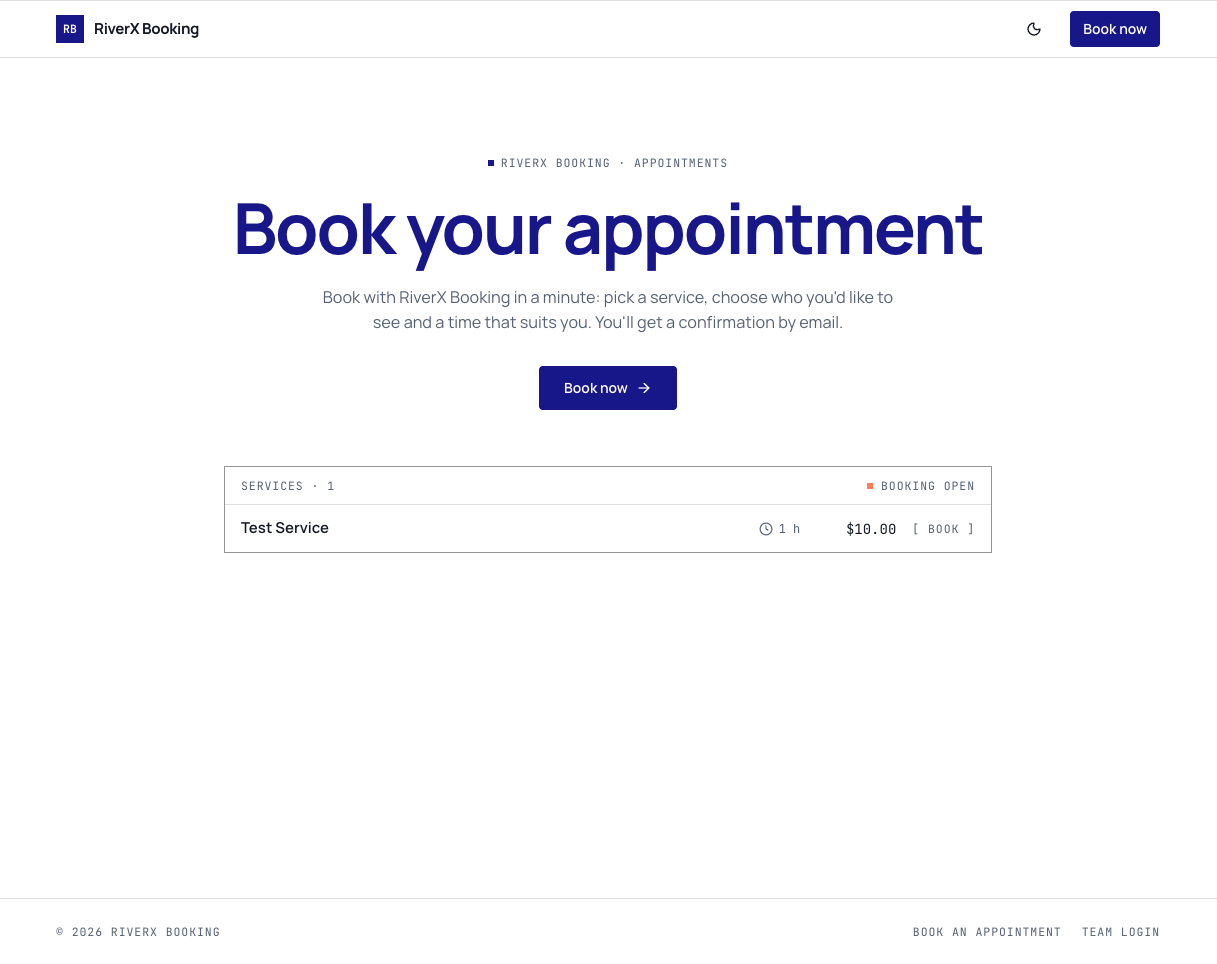
A home page with a Book now button and your live list of services, each with its length and price. A booking page in five steps: service, staff, date, time and details, with a month calendar that shows which days have free times. A confirmation page with a booking reference. Behind a sign-in, a dashboard with today's schedule, what is coming up and bookings per day, plus pages for bookings, services, staff, customers and settings.
A salon, barber or beauty studio where customers choose who they see. A clinic, therapist or coach offering sessions of a set length. A consultant or tutor with a small team taking appointments. It fits less well if you run classes or events where many people book the same time slot, or if customers need to pay when they book, since neither is included.
Most people first fill in Settings with their company name, logo, welcome text and time zone, then add their own services and team. After that, typical requests in chat are "add a short break between appointments", "send a reminder email the day before", "let customers cancel from their confirmation email" or "add a page about the business". You can also change colours and wording by editing visually.
Open the detail page and start from this template on the homepage.
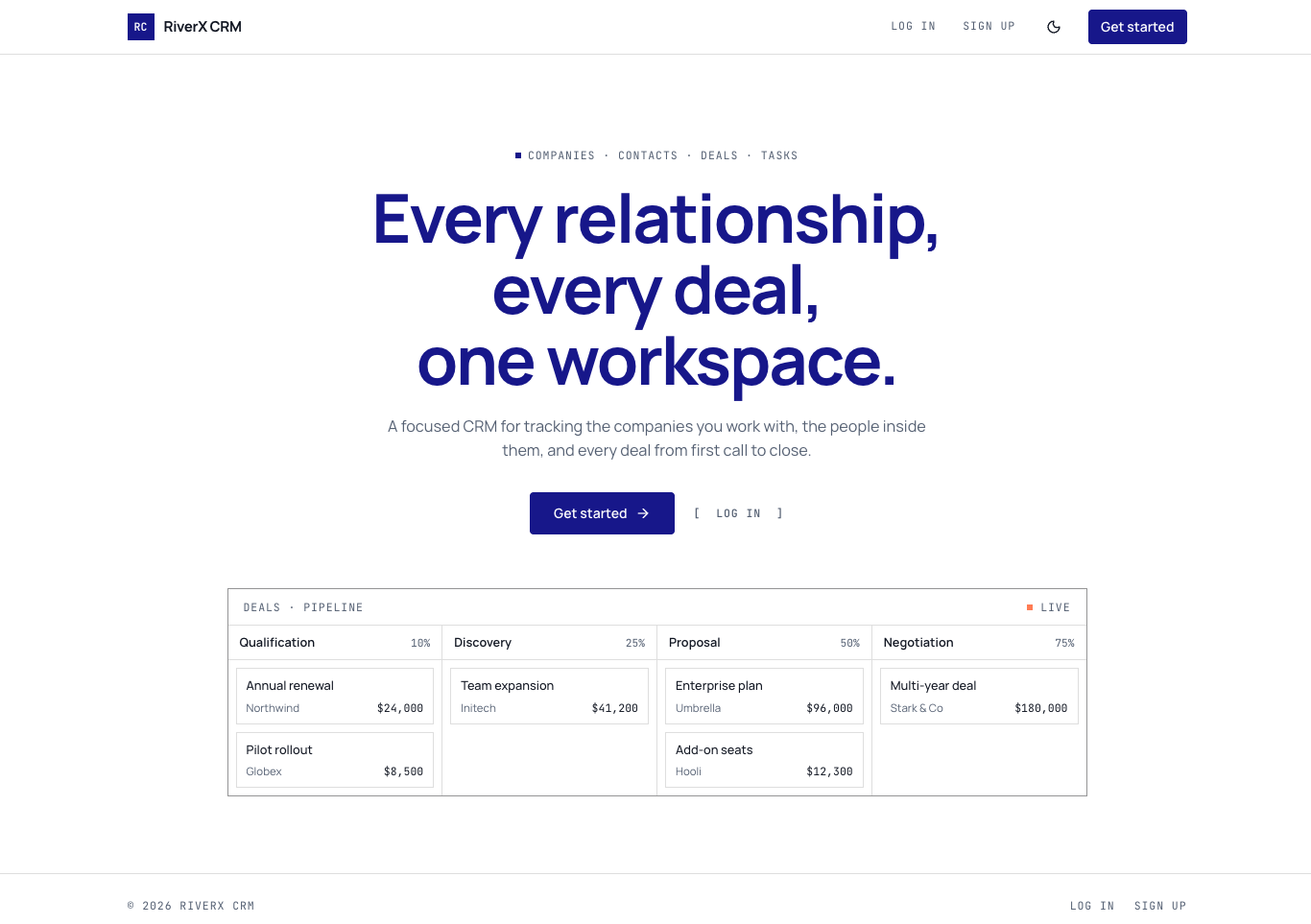
A sales CRM with a dashboard, a deal board you move by stage, and linked records for companies, contacts, calls, notes and tasks.
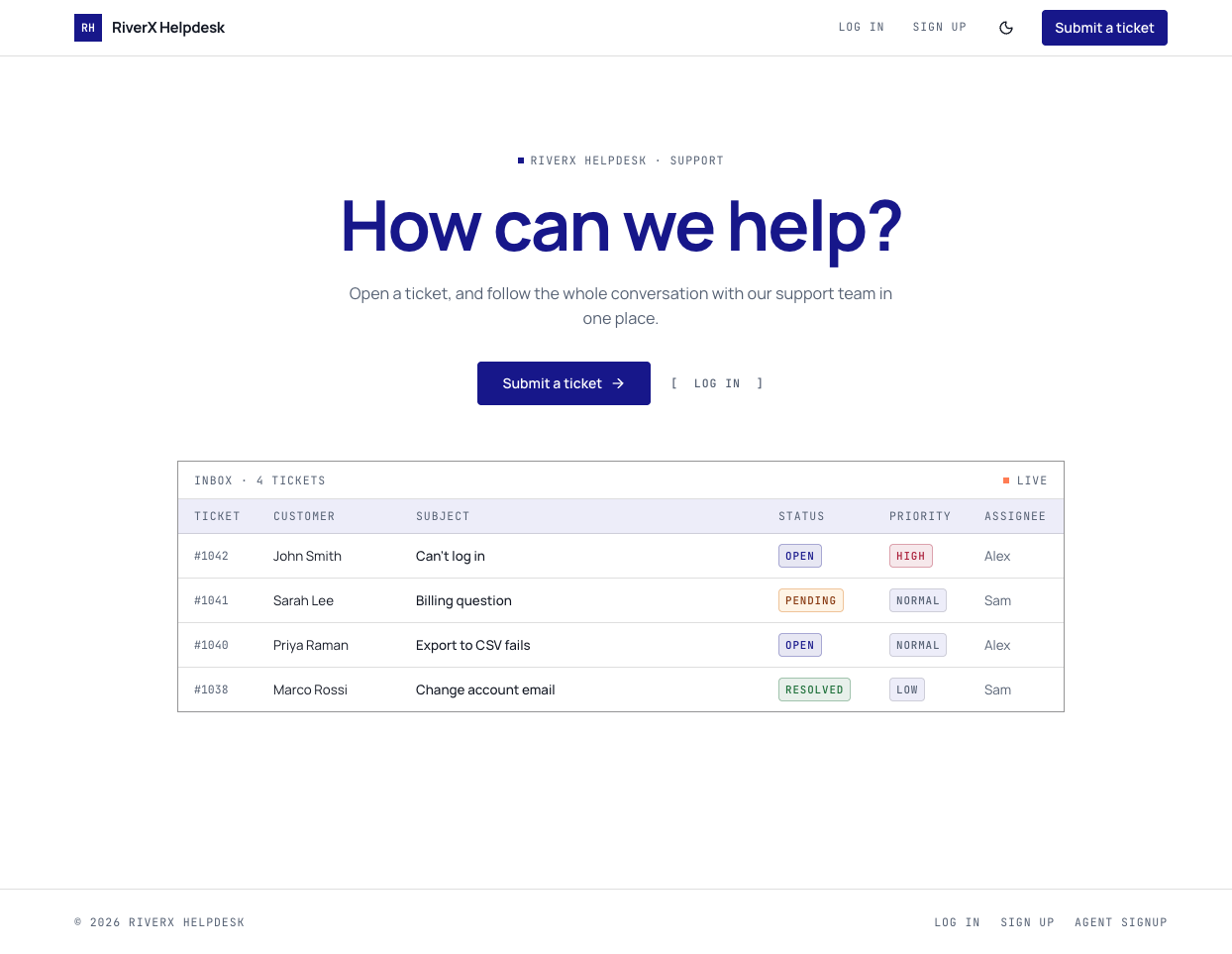
A support helpdesk with a customer portal for opening tickets, a shared team inbox for replies, and internal notes customers never see.
Open it in the editor, describe your changes in plain English, and publish when it looks right.